





🎨 Kotlin Multiplatform color picker library that allows you to get colors from any images like gallery pictures by tapping on the desired color. Also, it ships with alpha, brightness, hue, and saturation sliders to adjust ARGB and HSV factors, plus gesture lifecycle callbacks for fine-grained interaction handling.
## Preview
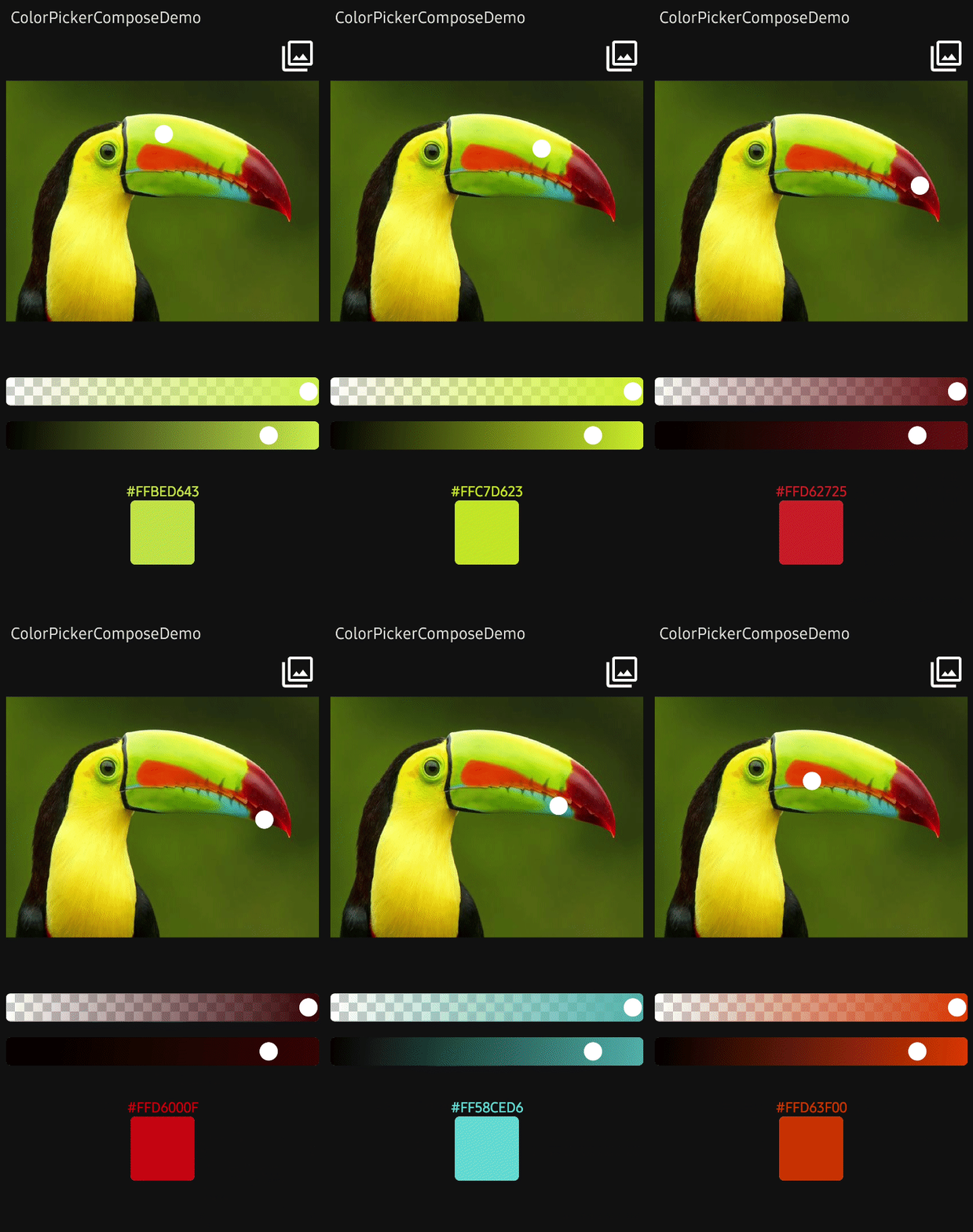
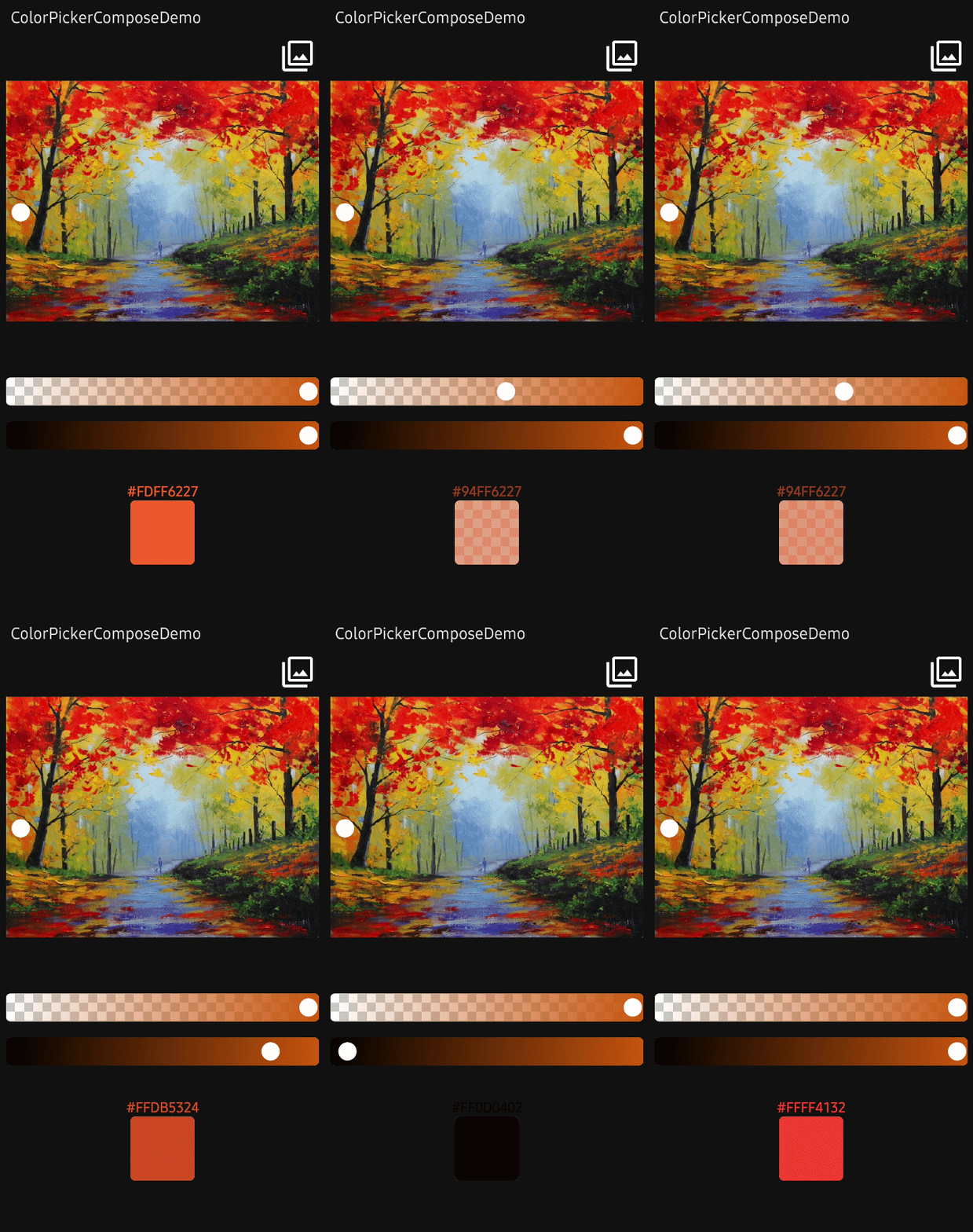
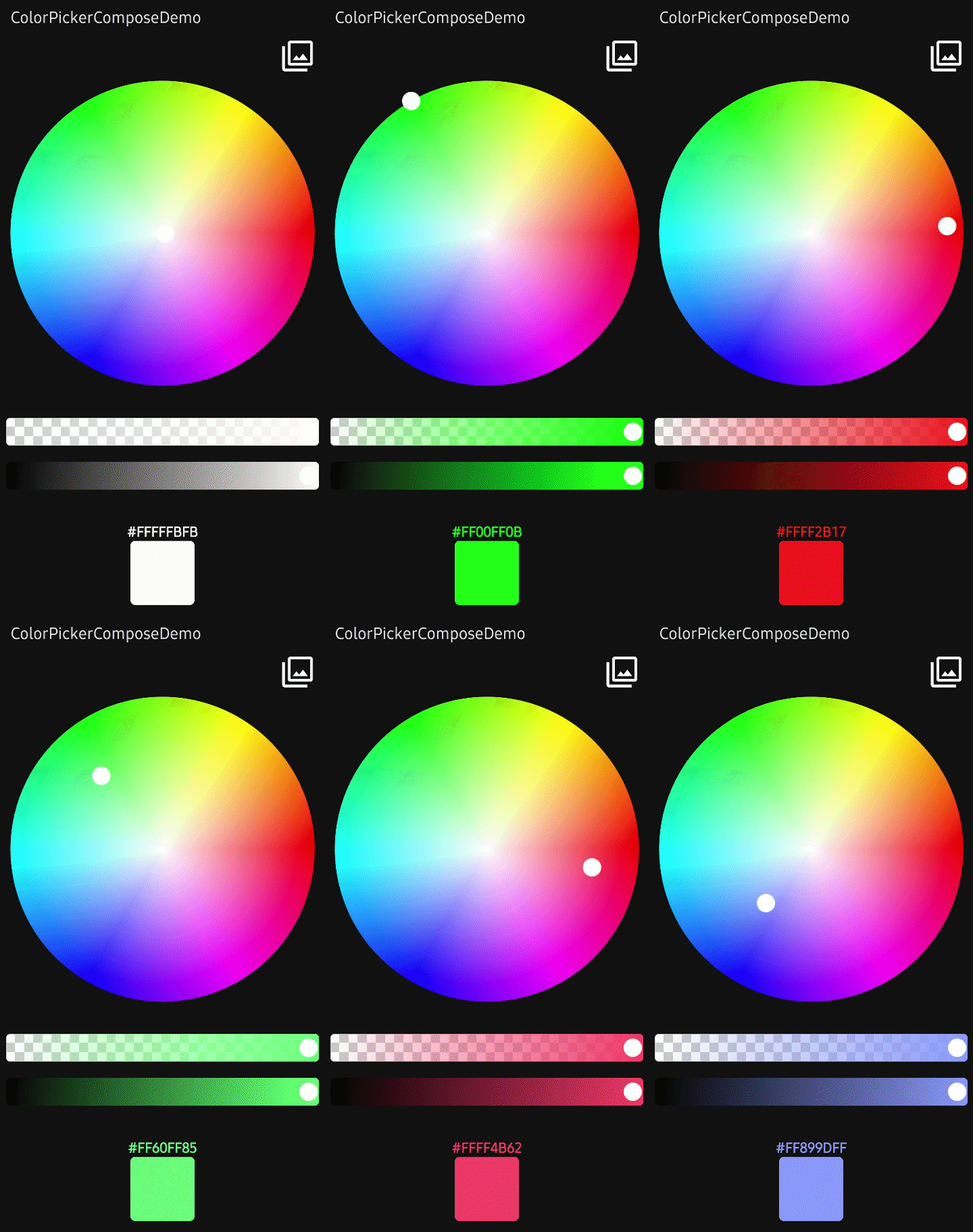
### ImageColorPicker
**ImageColorPicker** allows you to get colors from any images such as gallery pictures or drawable resources by tapping on the desired color.
It interacts with the `ColorPickerController` to control the color picker and other components. You can use the `ImageColorPicker` as the following example:
```kotlin
ImageColorPicker(
modifier = Modifier
.fillMaxWidth()
.height(450.dp)
.padding(10.dp),
controller = controller,
paletteImageBitmap = ImageBitmap.imageResource(R.drawable.palettebar),
paletteContentScale = PaletteContentScale.FIT,
onColorChanged = { colorEnvelope: ColorEnvelope ->
// do something
}
)
```
With the [modernstorage](https://github.com/google/modernstorage)'s [Photo Picker](https://google.github.io/modernstorage/photopicker/), you can set a desired image as the palette like the below:
```kotlin
val context = LocalContext.current
val photoPicker =
rememberLauncherForActivityResult(PhotoPicker()) { uris ->
val uri = uris.firstOrNull() ?: return@rememberLauncherForActivityResult
val bitmap = if (Build.VERSION.SDK_INT >= Build.VERSION_CODES.P) {
ImageDecoder.decodeBitmap(ImageDecoder.createSource(context.contentResolver, uri))
} else {
MediaStore.Images.Media.getBitmap(context.contentResolver, uri)
}
controller.setPaletteImageBitmap(bitmap.asImageBitmap())
}
```
As you can see the above, you can set the palette with the `setPaletteImageBitmap` function of the controller.
#### PaletteContentScale
You can adjust your palette's image scale with the `setPaletteContentScale` function of the controller as the below:
```kotlin
controller.setPaletteContentScale(PaletteContentScale.FIT) // scale the image to fit width and height.
controller.setPaletteContentScale(PaletteContentScale.CROP) // center crop the image.
```
### HsvColorPicker
HsvColorPicker allows you to get colors from HSV color palette by tapping on the desired color.
It interacts with the `ColorPickerController` to control the color picker and other components. You can use the `HsvColorPicker` as the following example:
```kotlin
HsvColorPicker(
modifier = Modifier
.fillMaxWidth()
.height(450.dp)
.padding(10.dp),
controller = controller,
onColorChanged = { colorEnvelope: ColorEnvelope ->
// do something
},
onStart = { /* user touched the picker */ },
onFinish = { /* user lifted finger */ },
)
```
To initialize the color picker with a specific color, pass the color to the `initialColor` argument. Initial color is white by default.
> **Note**: If you use `HsvColorPicker`, you can not set the palette and content scale with the `setPaletteImageBitmap` and `setPaletteContentScale` functions.
The `onStart` / `onFinish` callbacks are also available on `ImageColorPicker`, `AlphaSlider`, `BrightnessSlider`, `HueSlider`, and `SaturationSlider`. Use them to bracket gesture-driven work — for example to show a press indicator, snapshot state when the gesture begins, or commit/throttle work when it ends.
### ColorEnvelope
**ColorEnvelope** is a data transfer object that includes updated color factors. If you pass the **onColorChanged** lambda function to the `ImageColorPicker` or `HsvColorPicker`, the lambda receives **ColorEnvelope**.
**ColorEnvelope** includes the following properties:
```kotlin
onColorChanged = { colorEnvelope: ColorEnvelope ->
val color: Color = colorEnvelope.color // ARGB color value.
val hexCode: String = colorEnvelope.hexCode // Color hex code, which represents color value.
val fromUser: Boolean = colorEnvelope.fromUser // Represents this event is triggered by user or not.
val source: ColorChangeSource = colorEnvelope.source // What kind of interaction produced this update.
}
```
#### ColorChangeSource
`ColorChangeSource` describes how the color update was produced, so consumers can react differently to discrete taps, continuous drags, and programmatic updates:
```kotlin
onColorChanged = { envelope ->
when (envelope.source) {
ColorChangeSource.Tap -> commitColor(envelope.color) // final selection
ColorChangeSource.Drag -> previewColor(envelope.color) // continuous live preview
ColorChangeSource.Programmatic -> Unit // initial setup or controller calls
}
}
```
### ColorPickerController
**ColorPickerController** interacts with color pickers and it allows you to control the all subcomponents.
#### Custom Wheel
You can customize the wheel with the following functions:
```kotlin
.setWheelRadius(40.dp) // set the radius size of the wheel.
.setWheelColor(Color.Blue) // set the color of the wheel.
.setWheelAlpha(0.5f) // set the transparency of the wheel.
.setWheelImageBitmap(imageBitmap) // set the wheel image with your custom ImageBitmap.
```
#### Select Points
You can select specific points with the functions below:
```kotlin
.selectByCoordinate(x = 100f, y = 100f, fromUser = false) // select x = 100, y = 100.
.selectCenter(fromUser = false) // select center of the palette.
```
#### Debounce
You can set the debounce duration, which decides to invoke the color listener from the last tapping. Debounce can be useful to reduce overhead. For example, communicating with IoT devices or relevant works that require heavy operations.
```kotlin
controller.debounceDuration = 200L
```
#### Enable and Disable
You can enable or disable your color picker with the below function:
```kotlin
controller.enabled = false
```
 ### AlphaSlider
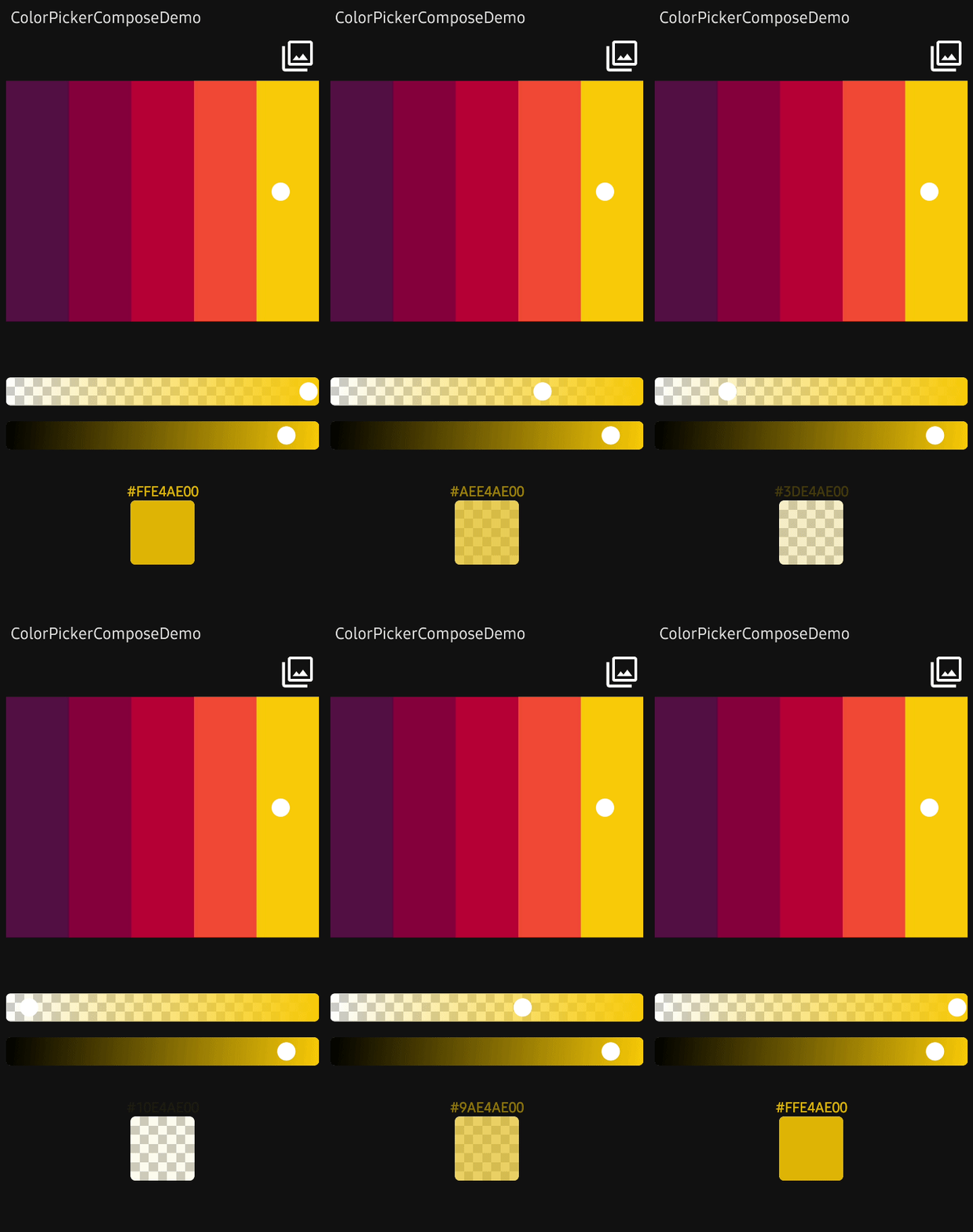
**AlphaSlider** allows you to adjust the alpha value of the selected color from color pickers.
**AlphaSlider** needs to be tied to the `ColorPickerController`, and the value changes will be assembled with the selected color factors.
You can implement **AlphaSlider** as the following example:
```kotlin
AlphaSlider(
modifier = Modifier
.fillMaxWidth()
.padding(10.dp)
.height(35.dp),
controller = controller,
)
```
You can customize the border of the slider with the following parameters:
```kotlin
AlphaSlider(
borderRadius = 6.dp,
borderSize = 5.dp,
borderColor = Color.LightGray,
..
)
```
You can customize the wheel of the slider with the following parameters:
```kotlin
AlphaSlider(
wheelRadius = 30.dp,
wheelColor = Color.White,
wheelPaint = Paint().apply { color = wheelColor },
wheelImageBitmap = ImageBitmap.imageResource(R.drawable.wheel),
..
)
```
Also, you can customize tiles of the background with the following parameters:
```kotlin
AlphaSlider(
tileOddColor = Color.White,
tileEvenColor = Color.LightGray,
tileSize = 30.dp,
..
)
```
### AlphaSlider
**AlphaSlider** allows you to adjust the alpha value of the selected color from color pickers.
**AlphaSlider** needs to be tied to the `ColorPickerController`, and the value changes will be assembled with the selected color factors.
You can implement **AlphaSlider** as the following example:
```kotlin
AlphaSlider(
modifier = Modifier
.fillMaxWidth()
.padding(10.dp)
.height(35.dp),
controller = controller,
)
```
You can customize the border of the slider with the following parameters:
```kotlin
AlphaSlider(
borderRadius = 6.dp,
borderSize = 5.dp,
borderColor = Color.LightGray,
..
)
```
You can customize the wheel of the slider with the following parameters:
```kotlin
AlphaSlider(
wheelRadius = 30.dp,
wheelColor = Color.White,
wheelPaint = Paint().apply { color = wheelColor },
wheelImageBitmap = ImageBitmap.imageResource(R.drawable.wheel),
..
)
```
Also, you can customize tiles of the background with the following parameters:
```kotlin
AlphaSlider(
tileOddColor = Color.White,
tileEvenColor = Color.LightGray,
tileSize = 30.dp,
..
)
```
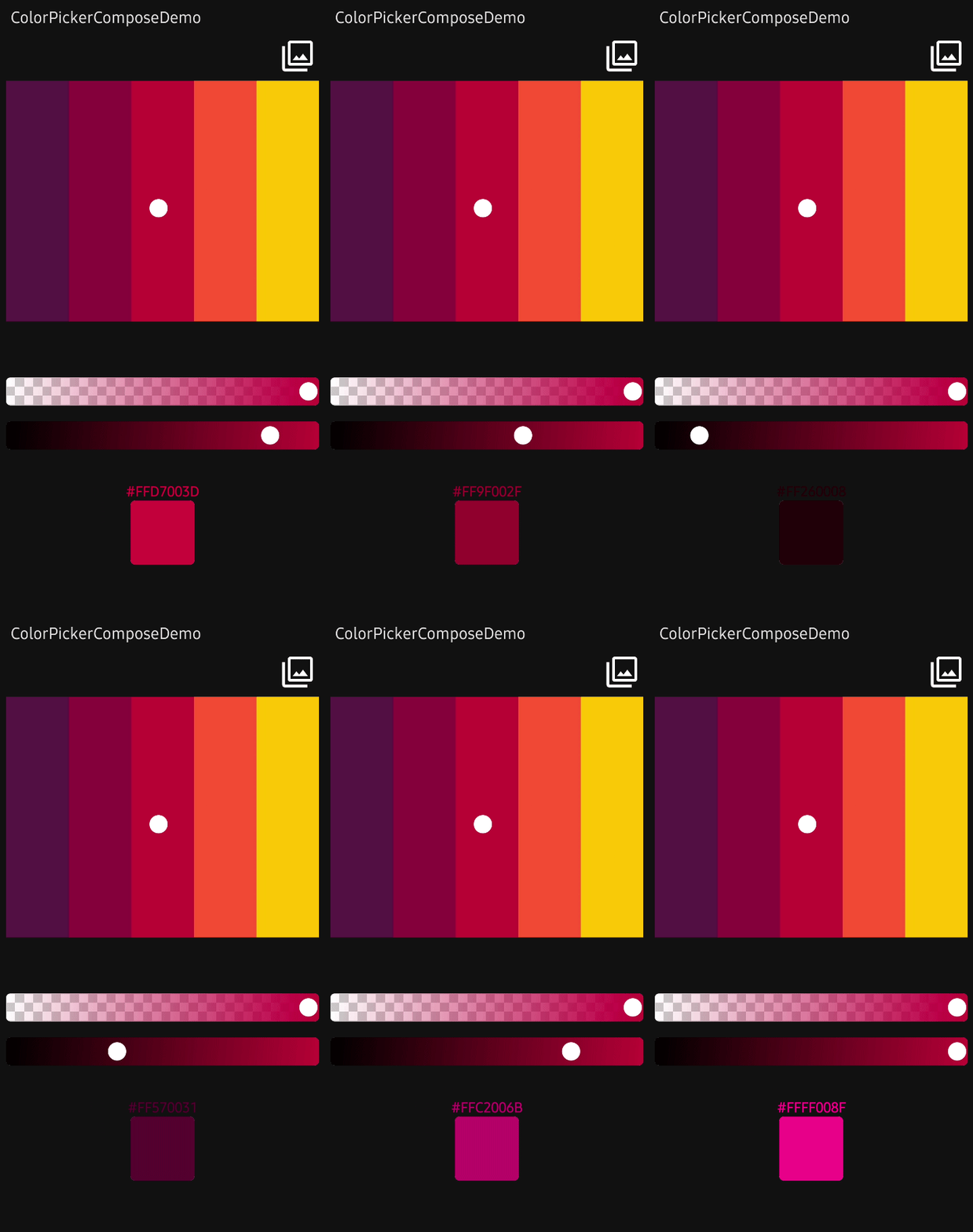 ### BrightnessSlider
**BrightnessSlider** allows you to adjust the brightness value of the selected color from color pickers.
**BrightnessSlider** needs to be tied to the `ColorPickerController`, and the value changes will be assembled with the selected color factors.
You can implement **BrightnessSlider** as the following example:
```kotlin
BrightnessSlider(
modifier = Modifier
.fillMaxWidth()
.padding(10.dp)
.height(35.dp),
controller = controller,
)
```
You can customize the wheel of the slider with the following parameters:
```kotlin
BrightnessSlider(
wheelRadius = 30.dp,
wheelColor = Color.White,
wheelPaint = Paint().apply { color = wheelColor },
wheelImageBitmap = ImageBitmap.imageResource(R.drawable.wheel),
..
)
```
### HueSlider
**HueSlider** allows you to adjust the hue component of the selected color along the full HSV color wheel.
Like the other sliders, **HueSlider** is tied to the `ColorPickerController`, and the value changes will be assembled with the selected color factors.
You can implement **HueSlider** as the following example:
```kotlin
HueSlider(
modifier = Modifier
.fillMaxWidth()
.padding(10.dp)
.height(35.dp),
controller = controller,
)
```
Optionally, observe hue changes directly. The callback delivers the originating [ColorChangeSource] together with the hue value in the `[0f..360f]` range:
```kotlin
HueSlider(
controller = controller,
onColorChanged = { source, hue ->
// hue: 0f..360f
},
onStart = { /* user grabbed the slider */ },
onFinish = { /* user released the slider */ },
)
```
### SaturationSlider
**SaturationSlider** allows you to adjust the saturation component of the selected color (from `0f` to `1f`).
Combine it with `HueSlider` and `BrightnessSlider` to drive the full HSV space without the radial picker.
```kotlin
SaturationSlider(
modifier = Modifier
.fillMaxWidth()
.padding(10.dp)
.height(35.dp),
controller = controller,
)
```
### AlphaTile
**AlphaTile** allows you to display ARGB colors including transparency with tiles.
```kotlin
AlphaTile(
modifier = Modifier
.size(80.dp)
.clip(RoundedCornerShape(6.dp)),
controller = controller
)
```
Also, you can customize tiles of the background with the following parameters:
```kotlin
AlphaTile(
tileOddColor = Color.White,
tileEvenColor = Color.LightGray,
tileSize = 30.dp,
..
)
```
## Find this repository useful? :heart:
Support it by joining __[stargazers](https://github.com/skydoves/colorpicker-compose/stargazers)__ for this repository. :star:
### BrightnessSlider
**BrightnessSlider** allows you to adjust the brightness value of the selected color from color pickers.
**BrightnessSlider** needs to be tied to the `ColorPickerController`, and the value changes will be assembled with the selected color factors.
You can implement **BrightnessSlider** as the following example:
```kotlin
BrightnessSlider(
modifier = Modifier
.fillMaxWidth()
.padding(10.dp)
.height(35.dp),
controller = controller,
)
```
You can customize the wheel of the slider with the following parameters:
```kotlin
BrightnessSlider(
wheelRadius = 30.dp,
wheelColor = Color.White,
wheelPaint = Paint().apply { color = wheelColor },
wheelImageBitmap = ImageBitmap.imageResource(R.drawable.wheel),
..
)
```
### HueSlider
**HueSlider** allows you to adjust the hue component of the selected color along the full HSV color wheel.
Like the other sliders, **HueSlider** is tied to the `ColorPickerController`, and the value changes will be assembled with the selected color factors.
You can implement **HueSlider** as the following example:
```kotlin
HueSlider(
modifier = Modifier
.fillMaxWidth()
.padding(10.dp)
.height(35.dp),
controller = controller,
)
```
Optionally, observe hue changes directly. The callback delivers the originating [ColorChangeSource] together with the hue value in the `[0f..360f]` range:
```kotlin
HueSlider(
controller = controller,
onColorChanged = { source, hue ->
// hue: 0f..360f
},
onStart = { /* user grabbed the slider */ },
onFinish = { /* user released the slider */ },
)
```
### SaturationSlider
**SaturationSlider** allows you to adjust the saturation component of the selected color (from `0f` to `1f`).
Combine it with `HueSlider` and `BrightnessSlider` to drive the full HSV space without the radial picker.
```kotlin
SaturationSlider(
modifier = Modifier
.fillMaxWidth()
.padding(10.dp)
.height(35.dp),
controller = controller,
)
```
### AlphaTile
**AlphaTile** allows you to display ARGB colors including transparency with tiles.
```kotlin
AlphaTile(
modifier = Modifier
.size(80.dp)
.clip(RoundedCornerShape(6.dp)),
controller = controller
)
```
Also, you can customize tiles of the background with the following parameters:
```kotlin
AlphaTile(
tileOddColor = Color.White,
tileEvenColor = Color.LightGray,
tileSize = 30.dp,
..
)
```
## Find this repository useful? :heart:
Support it by joining __[stargazers](https://github.com/skydoves/colorpicker-compose/stargazers)__ for this repository. :star: